
How to Spot a Fake iPhone or Samsung (And Why You Should Care)
I’ve been flipping phones for a while now, and if there’s one thing I’ve seen too often—it’s fake phones. Mostly iPhones and Samsung Ultras. They show up on Kijiji, Facebook Marketplace, sometimes even from people who seem normal at first.
So here’s exactly how I check for fakes. No fluff. Just stuff that’s actually helped me avoid getting burned.
Want to know what I actually look for when buying a used phone? Here’s how I hunt for deals that aren’t trash.
1. The Screen Gives It Away (Every Time)
Fake iPhones and Samsungs usually have cheap screens. You’ll notice it right away:
- Colors look washed out
- There’s a thick black bezel like it’s from 2010
- Touch feels laggy or unresponsive
- Refresh rate is garbage compared to the real thing
If it feels slow just scrolling or tapping around—it’s not real.
2. The Camera = Potato Quality
This one’s easy. If the seller says it’s a brand new iPhone or Samsung Ultra, but the photos come out grainy, soft, or dark, you already know it’s not legit.
Fake phones can’t match Apple or Samsung camera quality. Ever. It’ll look like it was taken on a flip phone.
3. Accessories That Don’t Belong
New iPhones and Samsungs usually come with just the cable—that’s it.
If the box has extras like:
- Case
- Screen protector
- Wall plug
- Or some sketchy “sealed” packaging
That’s a red flag. Most fakes come loaded with freebies to make it feel more “complete.”
4. IMEI Check (Still Useful, But Not Everything)
You can dial *#06# to check the IMEI number. Also:
- iPhone: Go to Settings > General > About
- Samsung: Go to Settings > About Phone > Status
Use Apple’s Check Coverage or a Samsung IMEI checker like imeipro.info.
But heads up: IMEIs can be spoofed. Don’t rely on this alone.
5. Can’t Sign Into iCloud or Samsung Account? Walk Away.
This is probably the easiest and strongest check:
- On iPhone, try signing into iCloud
- On Samsung, try signing into your Samsung account
If the phone won’t let you sign in, it’s fake. No real iPhone or Samsung will block those logins.
6. “Too Good to Be True” Deals? Usually Are.
You’ll see listings like:
- “Got it as a gift”
- “Won it at an auction”
- “Got it from work but don’t need it”
- Selling for 50% off retail and they’ll “ship it to you for even cheaper”
No one legit sells a $1,500 phone for $600 unless something’s wrong.
Also, if they agree to your lowball offer way too easily? Fake. Real sellers usually don’t fold that quick.
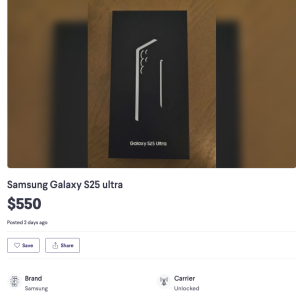
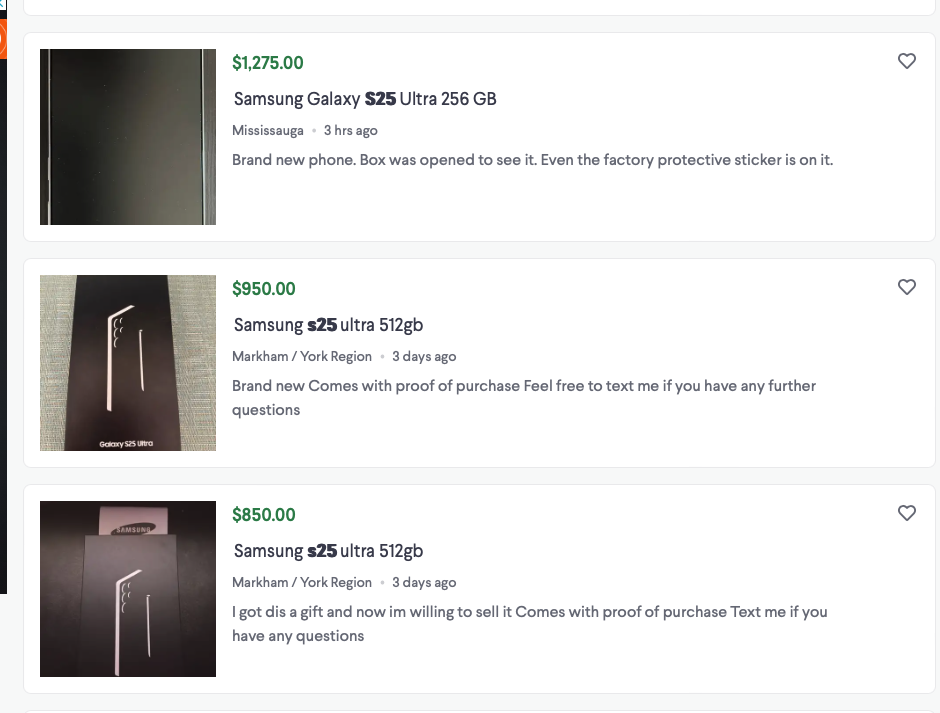
7. Bonus: I’ve Noticed Something…
I don’t know why, but based on what I’ve seen, the Samsung S24 and S25 Ultra seem to be the most scammed phones out there on Kijiji. It’s always some “sealed box” nonsense, or selling for way less than retail.
Just something to keep an eye on if you’re looking at Androids too.
Final Thoughts
You don’t need a tech degree to spot a fake. The screen, the camera, the login tests—they’ll tell you everything.
If something feels off, trust your gut. There’s always another deal out there.
Already picked one up and want to resell it? Here’s my cleanup routine that makes it look way better for flipping.
Posted by ByteFlip
Just a guy flipping phones, avoiding overpriced stuff, and sharing what works.
Discover more from ByteFlip
Subscribe to get the latest posts sent to your email.
Wonderful posts Many thanks.
Thank you , i am glad it helped!