
I Bought a Steam Deck for $380 — And Honestly, It Made Gaming Fun Again
I picked up a Steam Deck LCD for $380 off RedFlagDeals, and for that price, it’s honestly kind of a no-brainer.
The previous owner upgraded it to 1TB, which already puts it in a great spot value-wise. And yes — this is the LCD version, not the OLED. But unless you’re a hardcore display nerd or you have the budget to splurge, the LCD is completely fine. Especially now that prices on these have dropped so much.
At current prices, if you’re even slightly interested in gaming again, it’s hard to argue against it.
Why I Even Bought a Steam Deck in the First Place
I used to game a lot.
Then life happened.
Between work, MacBooks, and daily responsibilities, I basically stopped gaming altogether. I’ve been on Apple Silicon for years now — M1, MacBook — and while they’re amazing machines, gaming just isn’t really part of that ecosystem.
I still had a Steam library full of games I never finished.
So I bought the Steam Deck thinking:
“I probably won’t use it much… but at least I’ll have the option.”
Turns out, that was the wrong assumption.
The Big Surprise: I Actually Play Games Again
The Steam Deck changed how I game.
Instead of needing:
- A desk
- A big block of time
- The mental commitment to sit down and play
I can now:
- Pick it up
- Play for 15–30 minutes
- Put it down without guilt
That alone makes it worth it.
Playing Old Games I Never Finished (And It’s Cheap Now)
This is where the Steam Deck really shines.
I’m finally playing:
- Far Cry 4
- Cyberpunk 2077
- Other older AAA games I never touched
And the best part?
These games are cheap now.
You’re not paying launch prices. You’re picking up fully patched games for a fraction of what they used to cost. That makes the whole experience feel like a win-win.
LCD vs OLED — My Honest Take
Let’s be real about this.
If you:
- Aren’t a hardcore user
- Aren’t comparing screens side by side
- Just want to play games
The LCD version is totally fine.
Would OLED be nicer? Sure.
Is it necessary at today’s price gap? Not really.
Especially when LCD Steam Decks are now so cheap, the value is just insane.
The Touchpads Are the Secret Weapon
This surprised me more than anything.
I’ve always preferred mouse aiming for FPS games. Controllers never felt right to me.
The Steam Deck’s dual touchpads change that completely.
They make aiming feel:
- Natural
- Precise
- Familiar
It’s honestly one of the best things about the device, and it’s something you don’t really appreciate until you use it yourself.
Why I Ditched SteamOS and Installed Windows 11
Here’s where my use case gets a bit different.
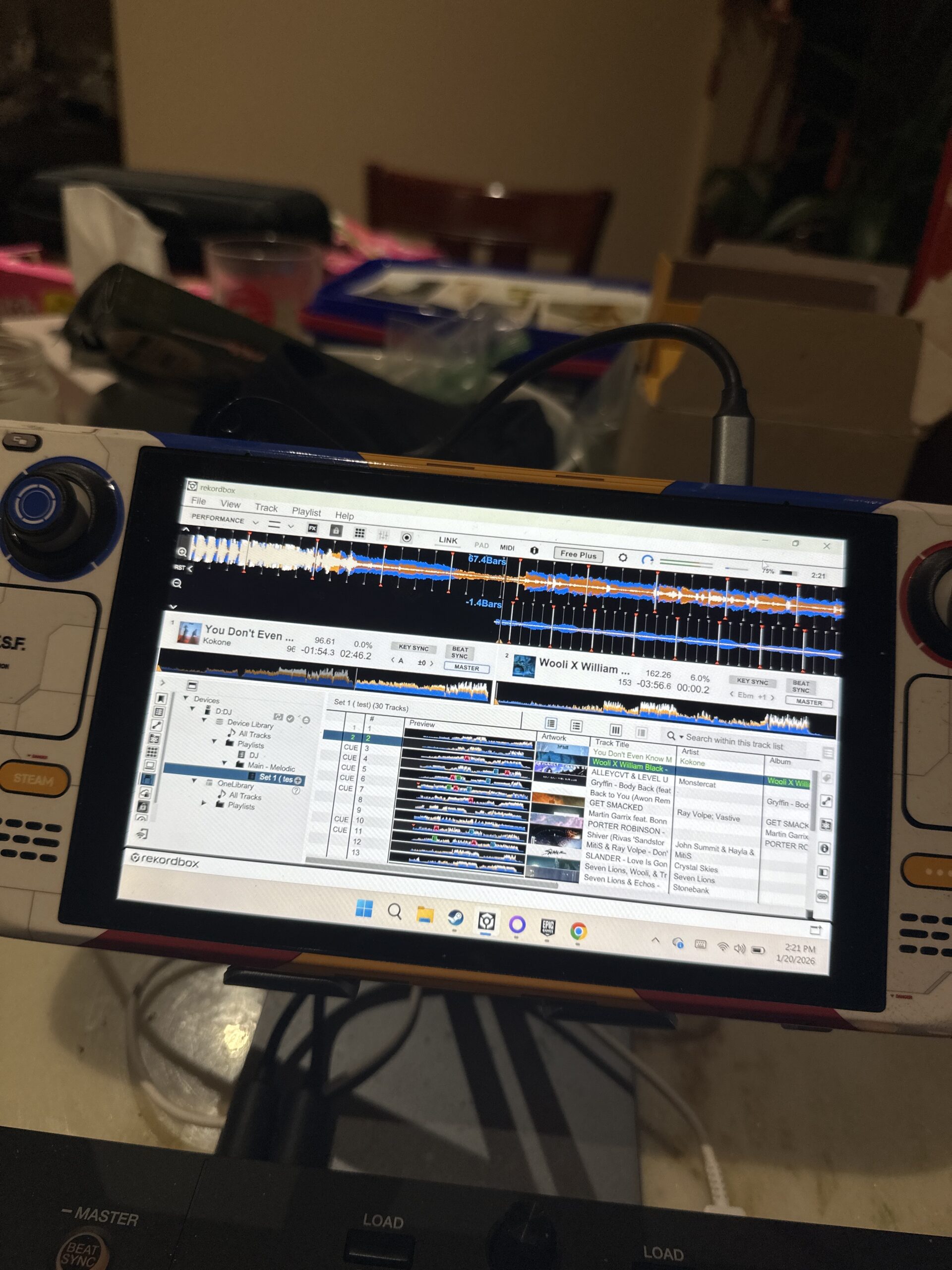
I removed SteamOS and installed Windows 11 (with a debloat script).
Why?
Because I use Rekordbox and I’m learning DJing on the side. I wanted one device that could:
- Game
- Run Windows software
- Let me experiment and learn
SteamOS is great for gaming, but Windows gives me flexibility.
If you’re curious, here’s the debloat script I used:
[https://github.com/Raphire/Win11Debloat]
I’ll go deeper into the DJ / Rekordbox setup in a future post when I have more time.
Why the Steam Deck Fits My Life Right Now
This is the part that matters most.
The Steam Deck fits into life as it is now:
- Short play sessions
- No setup friction
- No commitment
It made gaming feel casual again — in a good way.
I don’t need to “be a gamer.”
I just play when I feel like it.
Final Thoughts
For $380, especially with a 1TB upgrade, the Steam Deck LCD is easily worth it.
It let me:
- Enjoy games again
- Catch up on titles I missed
- Do it on my own time
- Spend way less money overall
If you’re even remotely interested in gaming but don’t want a full PC or console setup, this is one of the easiest recommendations I’ve made in a long time.
And yeah — I bought it thinking I wouldn’t use it much.
Turns out, that was completely wrong.
Discover more from ByteFlip
Subscribe to get the latest posts sent to your email.